For learning and development practitioners

Your expertise stays at the center. We help you move it forward.

Software for the project work, a mobile app for the conversations, free tools to start today, and courses, practice, and expert review to sharpen your judgment. Everything here helps you make better calls, not just more content.

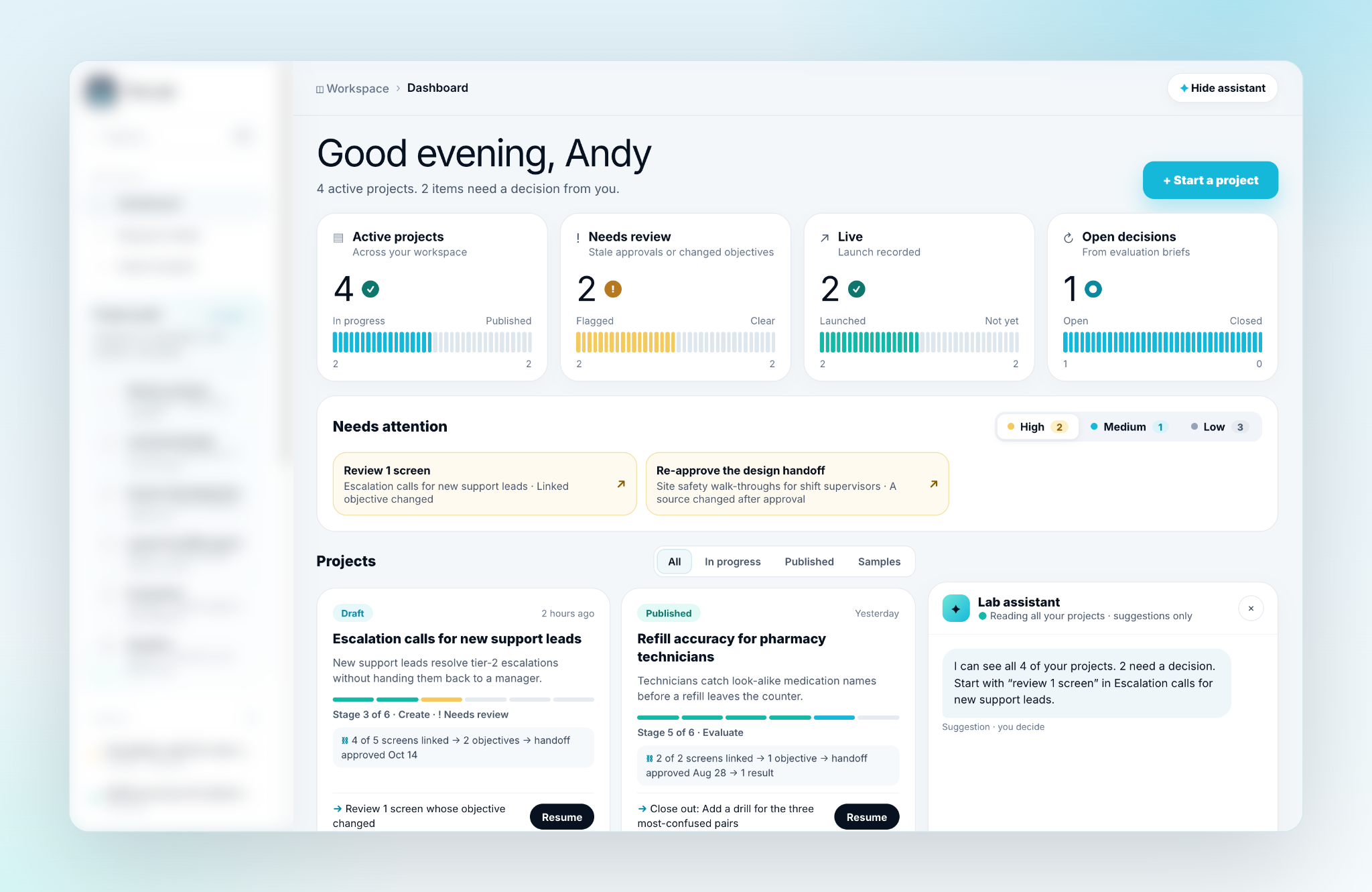
The Lab™Web workspace for members

Make better decisions across your learning project.

Investigate the request, design a response, and plan how you’ll show what changed.

The Lab OS workspace dashboard showing active projects, items needing review, live projects, open decisions, and a Lab assistant.

The Field™2.0.1 · iPhone and Android

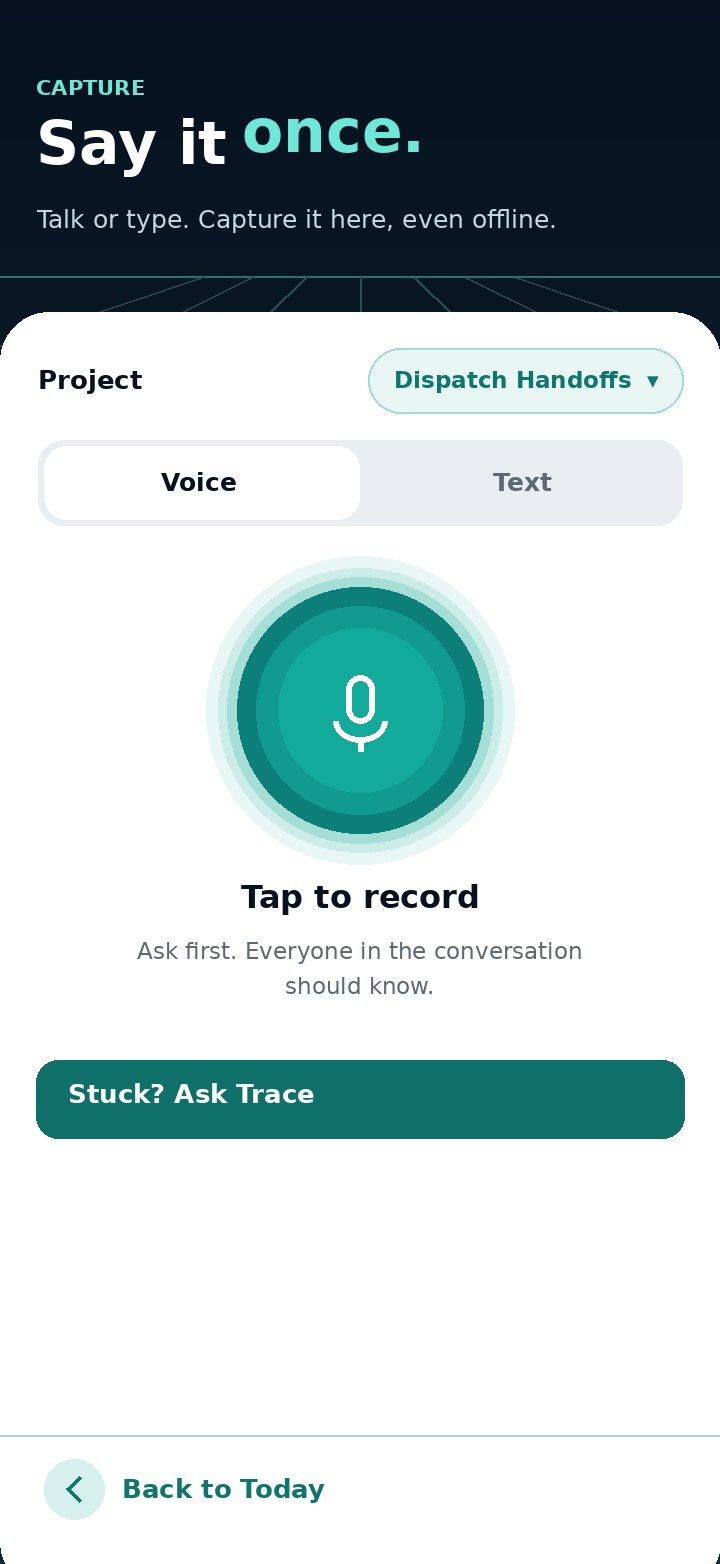
Leave the SME meeting with a clearer next step.

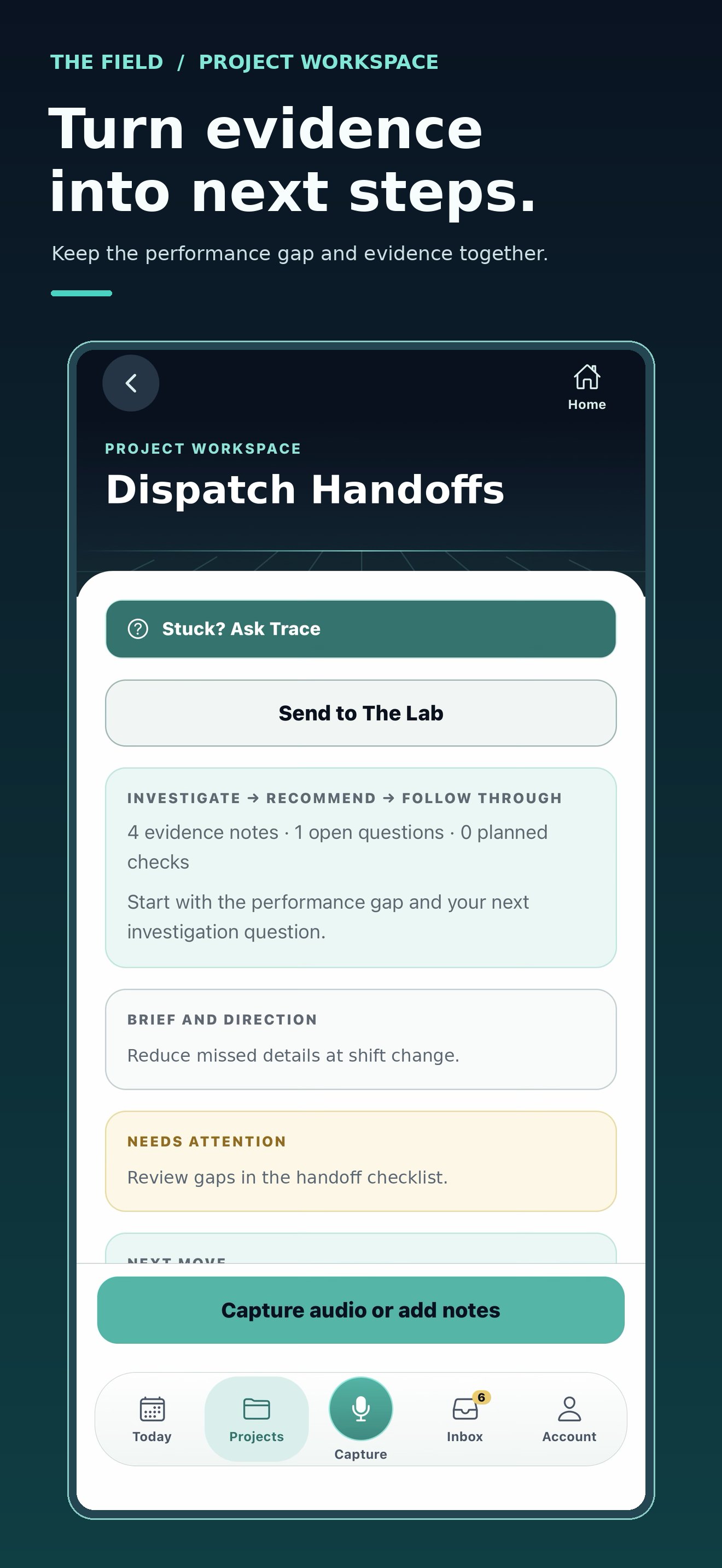
Turn SME conversations into reviewed decisions, open questions, and follow-ups. Spend less effort rebuilding the meeting and return to the learning project knowing what to investigate next.

Illustration of the redesigned Capture screen with a project picker, Voice and Text tabs, and a large microphone button The Field Project Workspace preview for Dispatch Handoffs: evidence notes, open questions, the brief, and items that need attention, with a Send to The Lab button.

Free toolsNo account needed

Start with a real project, for free.

Training Intake Builder

Prepare for a better SME conversation.

Build a dynamic intake guide that adapts to your project. Customize questions, capture answers, and export your notes.

Try Training Intake Builder →

Objective Builder

Turn a vague request into a measurable objective.

Draft a matching assessment and evaluation plan. Download the brief as Markdown.

Try Objective Builder →

Course Outline Builder

Build an outline your SME can review.

Plan the examples, practice, and assessment that support one objective.

Try Course Outline Builder →

Analysis Workshop

Turn a training request into a plan you can explain.

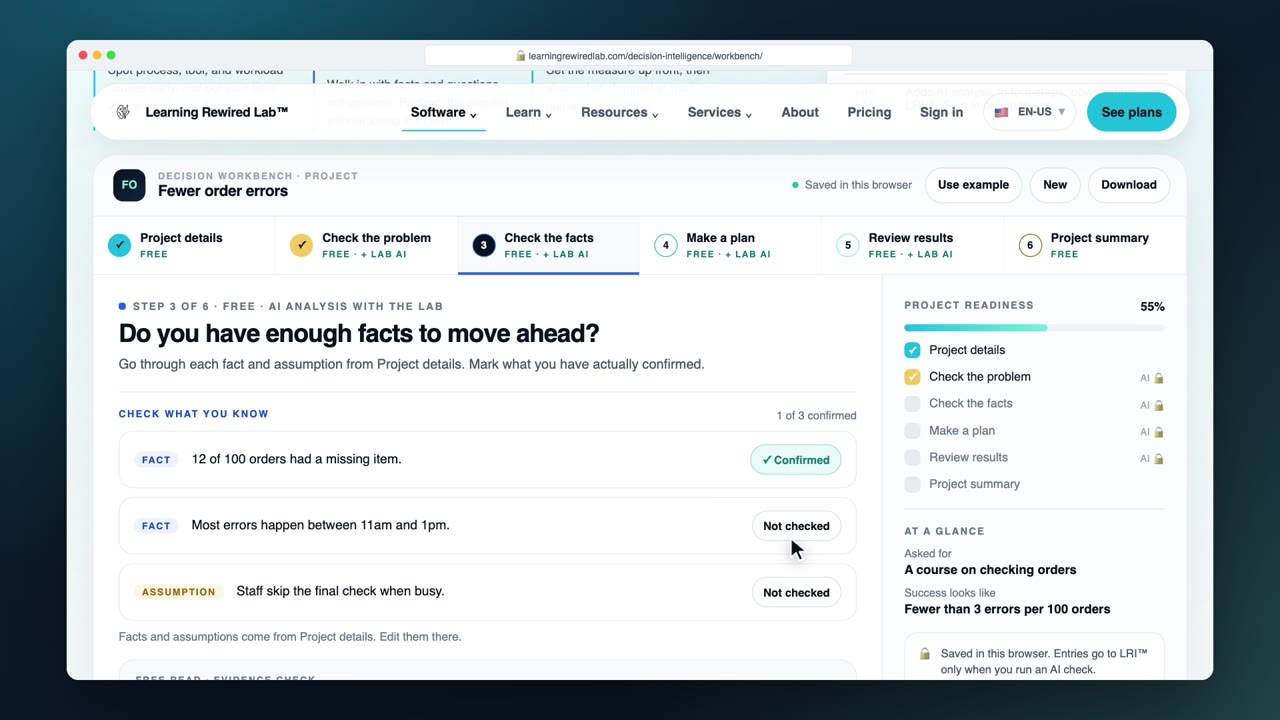
Work through six guided steps to clarify the problem, check your evidence, and build a plan. Save or download your work. Free, no account needed.

Start a free analysis →

Design Direction

Give your next learning asset a visual direction.

Create a palette, layout, and design brief you can take into your AI tool. Free, no account needed.

Try Design Direction →
Analysis Workshop, step 3 of 6: checking which facts and assumptions about a Fewer order errors project have been confirmed, with a project readiness checklist alongside.

What it helps with

Start where the work is stuck. Connect more when it helps.

Three areas of work that overlap in real projects. Pick up whichever one fits today. Nothing here has to happen in order.

Do the project workIn The Lab™, a web workspace for members

Move the project forward.

Use one capability for the problem in front of you, or connect them across a whole project. You decide; the workspace keeps the reasoning in one place.

  1. 🎯Challenge the requestTest the assumptions inside a request and decide what kind of work it needs.
  2. 🔎Investigate the problemSeparate evidence from assumption and build a defensible recommendation.
  3. 🛠️Design the responseTurn an understood need into the right learning or performance response.
  4. 📊Measure what changedPlan the evidence and decide what can credibly be claimed.

See the work, not just the tools

Got a course request and a pile of content?

Follow a fictional 74-slide SME deck from the original request to a scoped recommendation you could take into the stakeholder meeting. It uses the same moves The Lab™ supports: challenge, investigate, recommend.

What arrived

“Make all of this a course.”

A product deck, a Friday deadline, and an assumption that more content will fix the problem.

What left

A scope you can explain.

The finished brief, free to read and download.

  • Proposed scope
    What to keep, cut, or move out of the course.
  • Missing evidence
    What still needs checking before anyone builds.
  • Realistic constraints
    Deadline, audience, and format limits, stated plainly.
  • Decision request
    The specific call the stakeholder needs to make.
Follow the walkthrough View the finished brief

Scripted teaching example. Not a customer result or a recorded AI session.

Access and pricing

Know what you get before you click.

Software is the workspace. Learning builds your practice. Resources solve one focused task. Expert support is for when you want a second set of experienced eyes.

Compare membership plans

When you have ten minutes

Watch, play, or compare notes with peers.

Free and optional. A good way to get a feel for how the Lab thinks.

AC“I’m a Visual Learner.” What Should a Designer Do With That? PerspectiveLearning styles, learner preferences, and the evidence that should shape adult learning. 🕹️Course Catastrophe Arcade gameBuild the worst course ever, then read the debrief. Three minutes, no sign-up. ▶️Episode 009 YouTubeIs ADDIE the problem, or is your plan too rigid? 💬Professional CommunityDiscuss a difficult decision with other practitioners. 📚LRI Reading RoomBooks and practitioner recaps worth applying. +Open the interactive experiments

Your next step

You bring the expertise. We give you leverage.

Start with one capability on a live project. Connect more of the work when it earns its place.

Open The Lab™ Compare plans and pricing